Apple Fitness+ alternatives for lifting depend on what you want from it. Fitness+ is trainer-led workouts with Custom Plans. RIGOR, which made this page, is a strength plan that logs your weights and sets the next target. They do different jobs, and you can use both.
What are Apple Fitness+ alternatives for lifting?
It depends on which half of Fitness+ you want to replace. If you want a trainer talking you through a session, nothing in RIGOR does that. If you want a plan that remembers what you lifted and tells you what to put on the bar next time, that is the job RIGOR does, and Fitness+ is not described that way on Apple's page.
Other apps do that job too. RIGOR has compared itself with several on their own pages: apps that tell you when to increase weights, RIGOR next to a free program library, RIGOR next to an app with a free logger and RIGOR next to another progression app.
RIGOR made this page, and RIGOR is one of the choices, so read it that way. Every fact about Fitness+ below was read on Apple's own pages on the day this page was last updated, and there is no ranking. The two are better thought of as different tools than as rivals.
What is Apple Fitness+, in Apple's words?
A library of "4K Ultra HD fitness and wellness content": in Apple's words, "12 different workout types, and Meditation, too", with new sessions every week, from 5 to 45 minutes. The tiles on its page are Cycling, HIIT, Kickboxing, Yoga, Rowing, Pilates, Meditation, Strength, Treadmill Run, Dance, Core and Mindful Cooldown. You can filter by trainer, music or meditation theme, and Apple's page shows 28 trainers.
It is in the Fitness app on iPhone, and also on iPad and Apple TV. Apple's page does not call it videos or classes. It says what is in the library and how you find it, and that is all this page claims.
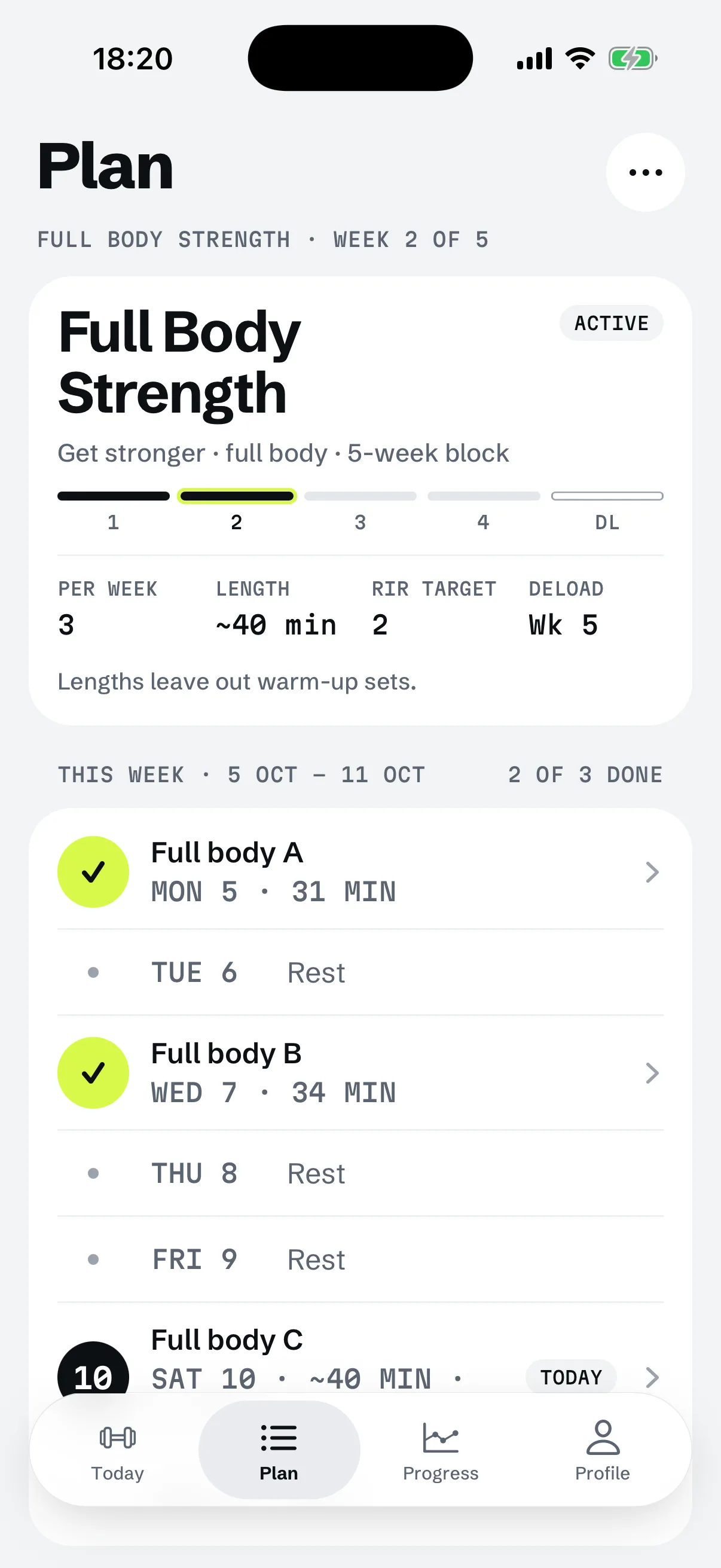
RIGOR is a strength training app for iPhone that builds your plan and sets every weight by rules you can read.
YOUR IPHONE

Does Apple Fitness+ have workout plans?
Yes. Apple's page says Fitness+ "automatically creates prebuilt Custom Plans based on your favorite activities". The prebuilt ones are Get Started, Stay Consistent and Push Further, and you can build your own by choosing days, activities, durations and trainers. Apple says the prebuilt Custom Plans work on iPhone, iPad or Apple TV with iOS 26, iPadOS 26 or tvOS 26.
Apple describes these plans as schedules of workouts and meditations. Stay Consistent matches your current routine, and Push Further adds a longer workout or an extra workout to every week. The page does not say that a plan chooses weights for you.
Does Apple Fitness+ have gym workouts?
It has Strength workouts, and Apple says what equipment you need "depends on the workout you choose". Most need none, and for some you may need dumbbells, a resistance band, a bike, a treadmill or a rowing machine. Apple says you "can use any brand of equipment at home or in the gym". The page does not mention a barbell or logging the weight you lift, and this page says nothing beyond that.
For a lifter the difference is what happens after the session. A class tells you what to do today. A plan has to remember what you did last time, and that is the part RIGOR is built around, as the next sections show.
Is Apple Fitness+ worth it without an Apple Watch?
Apple's answer to whether you need one is "No. All you need is an iPhone to use Fitness+." With an Apple Watch you also get real-time metrics onscreen, such as heart rate, calories burned and Activity ring progress. Apple adds that AirPods Pro 3, Powerbeats Pro 2 or a Bluetooth heart rate monitor can show heart rate too.
Whether that is worth the price is yours to judge. What can be said is what changes: without a watch you lose those on-screen metrics, and the Audio Workouts and Audio Meditations that Apple puts on the watch. A weight on a bar is not something a watch senses anyway, so for lifting the log is the same with or without a watch.
Where is Apple Fitness+ the better fit?
Choose Fitness+ when you want to be led through a session, or want something other than lifting. Each reason is a fact from Apple's page.
- You want a trainer in the session. Apple lists 28 trainers and sessions from 5 to 45 minutes, and you can filter by trainer and music. RIGOR has no trainer and no led video or audio session.
- You want other kinds of exercise. Cycling, Yoga, Pilates, Rowing, Dance and HIIT are all on Apple's list, and so is Meditation. RIGOR is a strength training app and only that.
- You train with little or no equipment. Apple says most workouts need none. RIGOR plans around the equipment of your gym.
- You want heart rate on screen. Fitness+ shows it with an Apple Watch and some other devices. RIGOR is not built around heart rate.
- You use Apple's other services. Apple One Premier, at $39.95 a month on Apple's page, includes Fitness+ with five other subscriptions.
What does RIGOR do that a class does not?
RIGOR is a plan with weights, for iPhone, and it has an Apple Watch app that logs sets from the wrist. The about page lists what it costs and where it runs.
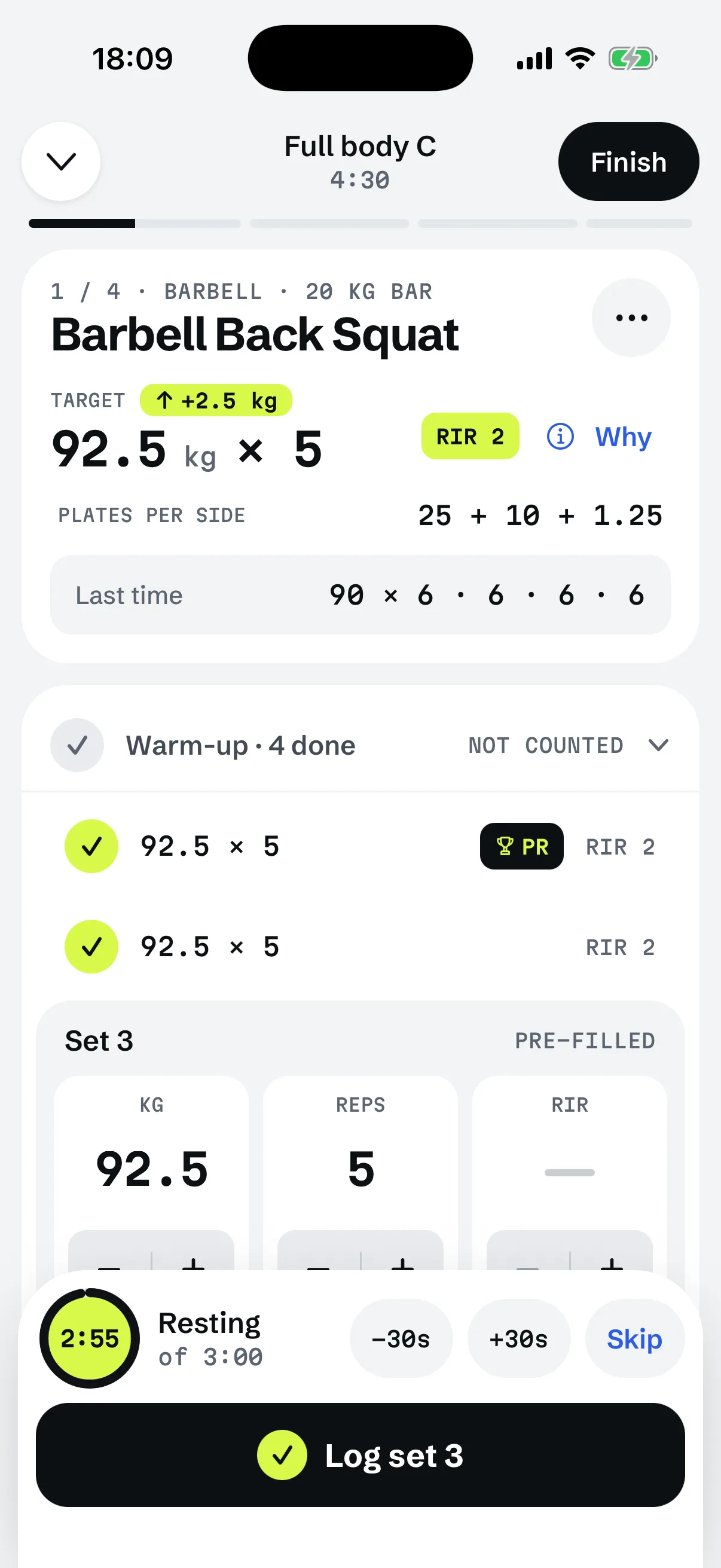
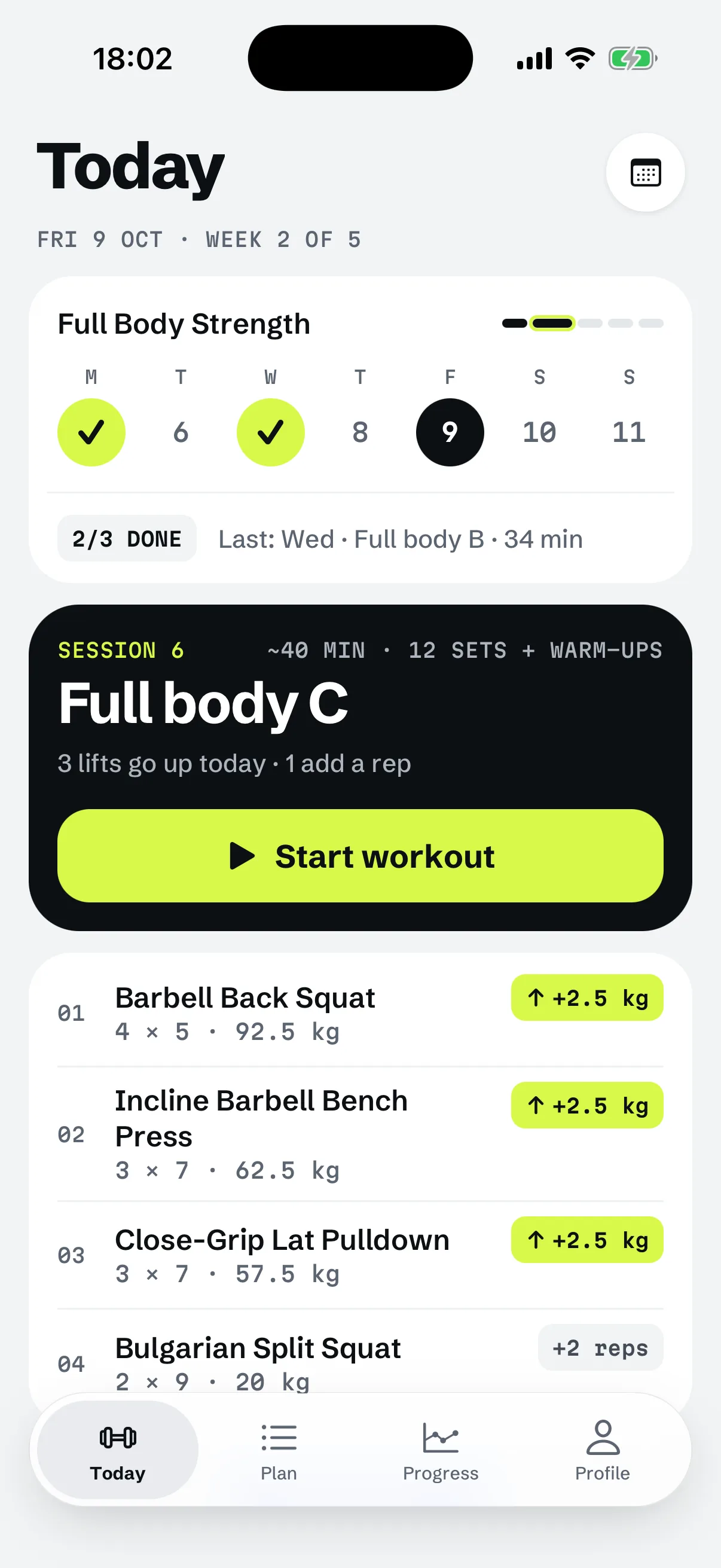
Each exercise shows today's target and last time's sets side by side. You log the weight, reps and optionally the reps in reserve (RIR), and the next session's target comes from that log.
On a lift with no history the weight starts blank, and the app asks you to pick one you can lift for the rep range with about the planned reps left. If you know a weight you have used, the starting-weight sheet offers "I know a weight I've used": RIGOR works from the weight and reps you report, discounts the estimate by 10%, and picks the heaviest load your gym can make for the middle of the rep range.
The rule after that is double progression: add reps until every set reaches the top of the range, then add weight, with effort as a guard. Take a Lat Pulldown, 3 sets of 8 to 12 reps, planned at 2 in reserve. You log 55 kg × 11, 10, 10.
TOP OF THE RANGE8 REPS · BOTTOM
That is the "what do I lift next" answer a class does not give. It also means RIGOR has no free plan: starting a workout needs the subscription.
How do the two compare side by side?
| Apple Fitness+ | RIGOR | |
|---|---|---|
| What it is | Library of workouts and meditations, with Custom Plans | Strength plan that logs weights and sets the next target |
| Price | $9.99 a month or $79.99 a year | $9.99 a month or $59.99 a year |
| Free trial | 1 month, new subscribers | 7 days, yearly plan only |
| Runs on | iPhone, iPad, Apple TV, with Apple Watch metrics | iPhone and Apple Watch, no Android |
| Strength | One of 12 workout types | All of it |
Can you use both?
Yes, and it can make sense: Fitness+ on the days you want a led session or a run, RIGOR on the days you lift. Nothing on either page conflicts. If you lift two or three days a week, a simple full-body routine leaves room for classes in between, and how to start lifting weights covers choosing the days. The choice is only between spending on one or on both.
When does this not apply?
The next weight comes from your last session
Questions
Is Apple Fitness+ just videos?
Apple does not use that word. Its page calls Fitness+ a library of 4K Ultra HD fitness and wellness content with 12 workout types and Meditation, new sessions every week, plus Custom Plans, recommendations and awards.
Does Apple Fitness+ have strength workouts?
Yes. Apple lists Strength among its 12 workout types, in sessions of 5 to 45 minutes, with or without equipment. Its page does not say how a strength session picks or tracks the weight you lift.
How much does Apple Fitness+ cost?
On Apple's page: 1 month free for new subscribers, then $9.99 a month or $79.99 a year. New subscribers who buy an eligible device get 3 months free. Apple One Premier, at $39.95 a month, includes it.
Does RIGOR work with an Apple Watch?
RIGOR runs on iPhone and has an Apple Watch app that logs sets from the wrist. It has no Android app. Fitness+ needs only an iPhone, per Apple.
Can I use RIGOR and Apple Fitness+ together?
Nothing on either page stops it. They are separate subscriptions that do separate jobs: Fitness+ for workouts you follow with a trainer, RIGOR for the lifting plan you log and progress.