RIGOR saves each set on your iPhone first, so logging works with no signal. It has no free plan: starting a workout needs the subscription. First launch makes an anonymous account without a sign-up. Apple or Google sign-in is optional and is what brings your history back on a new iPhone.
Does a workout app work offline?
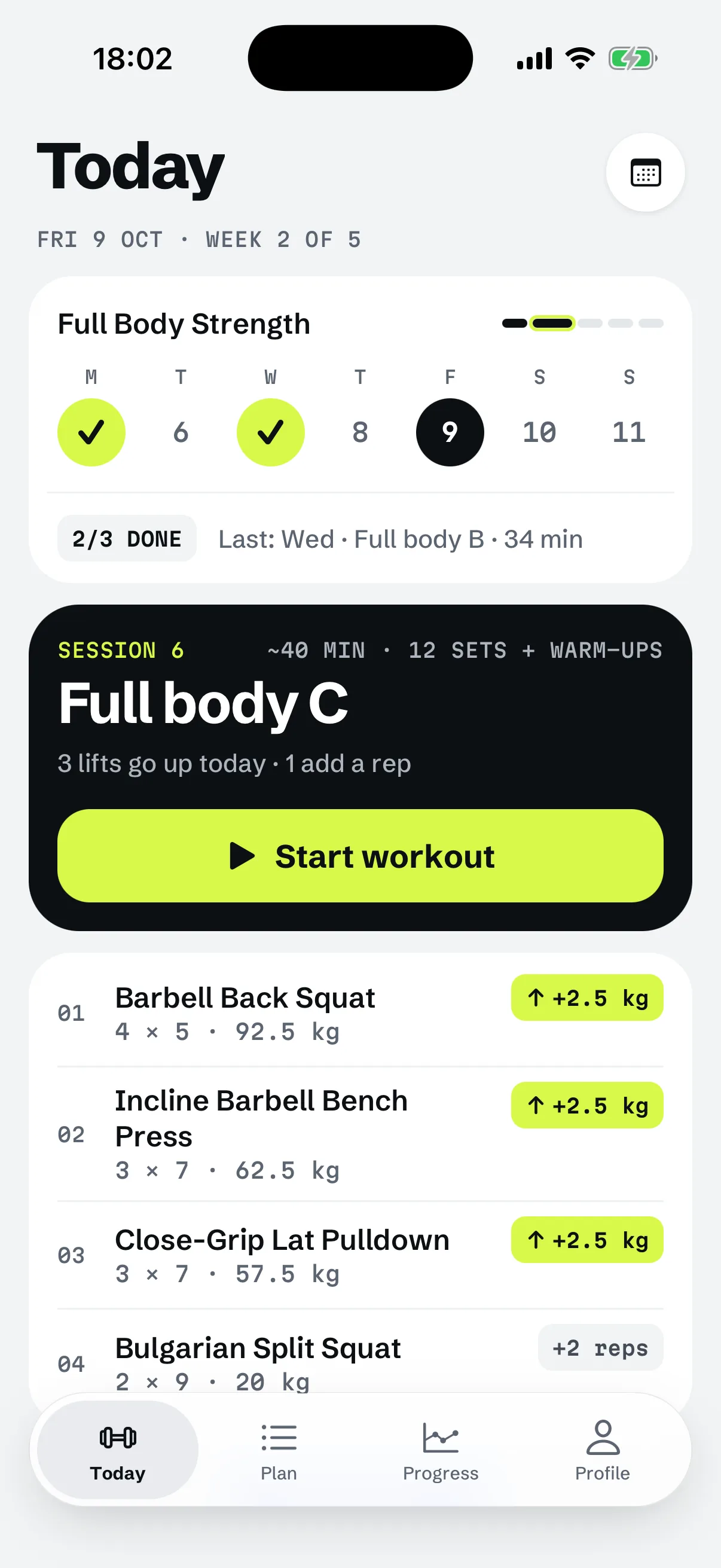
RIGOR does for the part you do in the gym. Your training is saved on the iPhone first, and logging never waits for a connection: every set is saved the moment you log it, signal or not. Sets logged offline wait on the iPhone and go up to the backup when the connection is back. The help article on backup and sync says the same.
Two things in this page are narrower than "everything works offline". Starting a workout needs the subscription, and a few steps need a connection, listed in the next section.
What does RIGOR need a connection for?
Four things, plus the backup itself. The rest of a session, from reading today's plan to logging the last set, does not.
| Step | With no connection |
|---|---|
| Logging a set | Works. Saved on the iPhone at once |
| Reading today's plan | Works, with a banner saying the plan shown is the one saved on the iPhone |
| The next weight | Works. It follows from what you logged, by the rules in double progression |
| Building your first plan | Works. Built on the iPhone |
| Starting a workout, already subscribed | Works. The app keeps the last known subscription state, so a subscriber can start offline |
| Starting a workout, not yet subscribed | Does not work. The offer needs the App Store, and the app says it cannot reach it |
| Buying, or Restore purchases | Needs a connection |
| First anonymous account | Made when a connection exists. The app opens without it and keeps trying |
| Restoring history on a new iPhone | Needs a connection |
| Backing up | Waits, then goes up when the connection is back |
The next weight needs no signal because nothing about it is looked up. What weight to lift shows how the first weight of a lift is chosen.
RIGOR is a strength training app for iPhone that builds your plan and sets every weight by rules you can read.
YOUR IPHONE

Does RIGOR need an account?
Not one you create. Every install signs in anonymously by itself, with a random ID, so there is no registration, no email and no password. Firebase, which RIGOR uses for this, describes an anonymous account as a temporary one for a user who has not signed up. The privacy policy says the app creates it when you first open it.
An anonymous account is still an account in one sense: it holds your backup. Signing in with Apple or Google is optional, and it links to that same account, so nothing moves. RIGOR offers it right after the purchase, and in Profile and Profile › Backup. There is no email sign-in.
Is there a free workout app with no sign-up?
Not here. RIGOR has no free plan, and starting a workout needs the subscription. The about page lists it plainly, and the figures below are its.
| Plan | Price | Free trial |
|---|---|---|
| Yearly | $59.99 a year | 7 days, for new subscribers |
| Monthly | $9.99 a month | None |
Without a subscription the plan and your history stay readable. RIGOR runs on iPhone, with no Android app yet. The first run goes in this order: a silent anonymous account, onboarding, the plan, then the subscription offer. No sign-in is asked before the purchase.
If you open the app with no connection for the first time, the plan still builds. At the offer step the app says it cannot reach the App Store and offers Try again or Not now, and Not now goes on to Today without the offer. Starting a workout is still behind the subscription.
What happens to your training if you never sign in?
It stays on the iPhone and is backed up to the anonymous account. Profile › Backup says that, until you sign in, the backup can only come back on this iPhone. The help article is plainer: without signing in, your training cannot be brought back after you delete the app or change iPhone. So sign in before either, and the sync status in Profile › Backup shows the last backup and any changes still waiting.
An anonymous account that has gone 180 days unused and never bought a subscription is deleted automatically, according to the privacy policy. Deleting the account yourself is offered in the app whether you signed in or not.
How do you restore on a new iPhone?
Install RIGOR, choose "I already have an account" on the first screen, and sign in with the same Apple or Google account. Plan, gym and history are restored; see moving to a new iPhone. A new iPhone gets a new anonymous account, so without that sign-in the old history does not come back.
The restore reads from the backup, so it needs a connection. Offline, the app stays on its restoring screen until it has a connection, rather than starting you on onboarding.
The subscription follows your Apple Account, not your RIGOR account. It normally carries over by itself; if it does not, Profile › Subscription › Restore purchases finds it, and that also needs a connection. See cancelling and restoring.
When does this not apply?
Logging in RIGOR does not wait for signal
Questions
Does a gym workout app need signal in the gym?
Not to log. RIGOR saves every set the moment you log it, with or without a connection, and the sets go to the backup when the connection returns. Starting a workout is different for someone not yet subscribed: that needs the App Store.
Is there a workout app with no account required?
RIGOR makes an anonymous account itself on first launch, so you are never asked to register. It has no free plan, though: starting a workout needs the subscription. Apple or Google sign-in is optional and is offered after the purchase.
Is there a free workout app with no sign-up?
Not RIGOR. There is no sign-up step, but also no free plan: starting a workout needs the subscription. The yearly plan has 7 free days for new subscribers, the monthly plan has none, and the plan and history stay readable without a subscription.
Will my workouts be lost if I never sign in?
They stay on the iPhone and are backed up to an anonymous account. Without a sign-in that backup can only come back on the same iPhone, and the help article says training cannot be brought back after deleting the app or changing iPhone. Sign in first.
Does restoring on a new iPhone work offline?
No. The history is read from the backup, so the new iPhone needs a connection, and it stays on a restoring screen until it has one. You also need to sign in with the same Apple or Google account.