A workout app with automatic progression sets your next weight from what you log. Hevy Trainer prints its rule, Alpha Progression suggests each set, MacroFactor and Boostcamp adjust from your logs, Fitbod builds each session. RIGOR, which made this page, prints its whole rule as a table. It runs on iPhone and Apple Watch, not Android.
Workout app with automatic progression: side by side
The question is how each app decides the next weight. Every line about the other apps was read on their own pages or US App Store listings on the day shown as last checked, and links there. Their prices are left out; workout app prices has ours.
| App | How it decides | Where it runs |
|---|---|---|
| Hevy | On Pro, Trainer raises a weight once you hit the upper end of the rep range on all prescribed sets | iOS and Android |
| Alpha Progression | Suggests a weight and reps for the next set from the last workout and the sets done today, within the weights your gym allows | iPhone listing |
| MacroFactor Workouts | Smart Progression from logged performance, RIR targets and rep ranges; nothing until you have logged training | iOS and Android |
| Fitbod | Tracks your logs to personalize each workout; the formula is not given | iOS and Android |
| Boostcamp | Auto Progression, a Pro feature, reads every set you log and sets your next weight and reps | iOS and Android |
| RIGOR | Fixed rules, after every workout, each with its reason; the cases are printed below | iPhone and Apple Watch |
What a week looks like in each
In Hevy, MacroFactor and Boostcamp you log sets and the app moves the weights. In Alpha Progression a suggestion is made for the next set, using the sets you completed today. Fitbod custom-builds each session. RIGOR is one plan for the block, with a target on every set.
With the other apps
- Pick or generate a program, or a session.
- Log each set; the app reads the log.
- It sets the next weight by its own method.
In RIGOR
- Tell it your goal, your days and your gym.
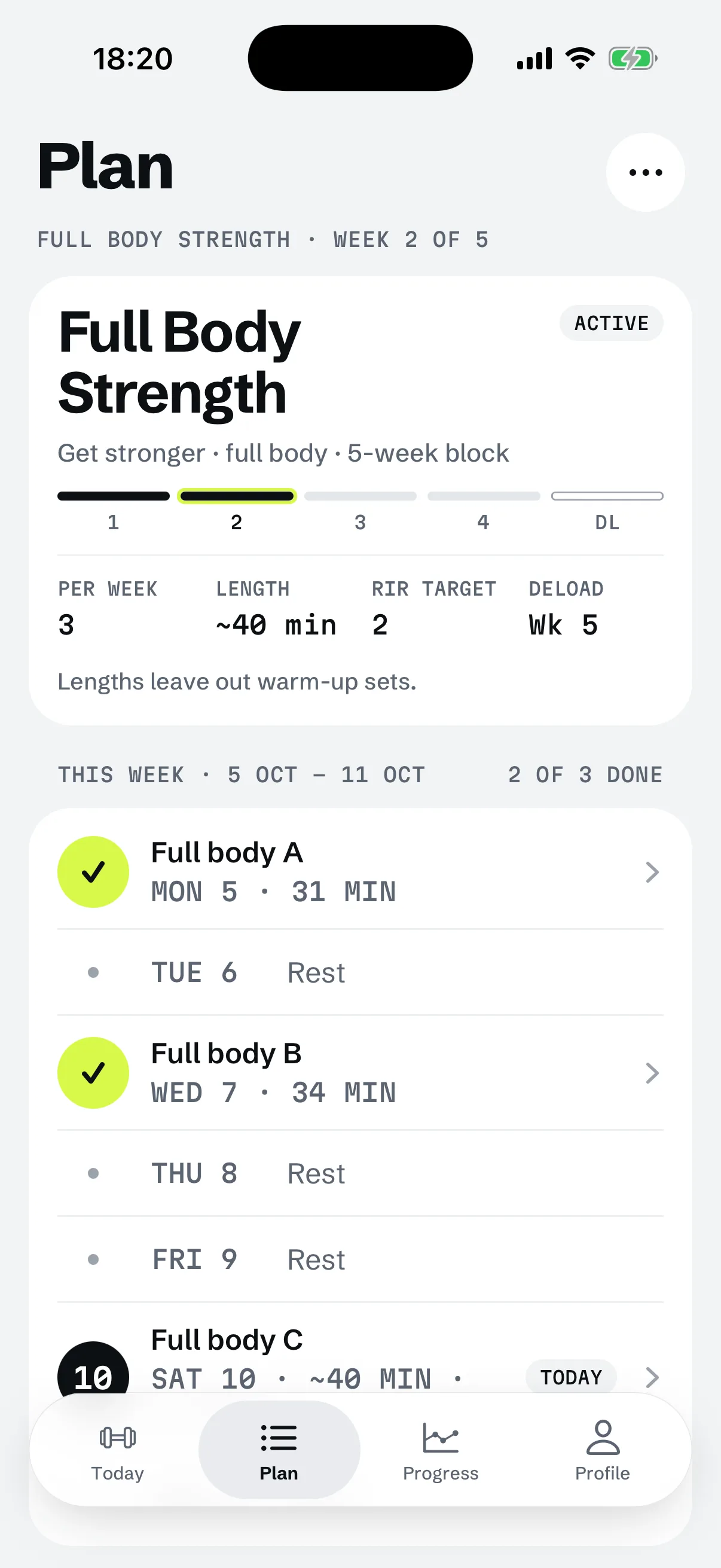
- Open today's workout; a lift you have logged has its target set.
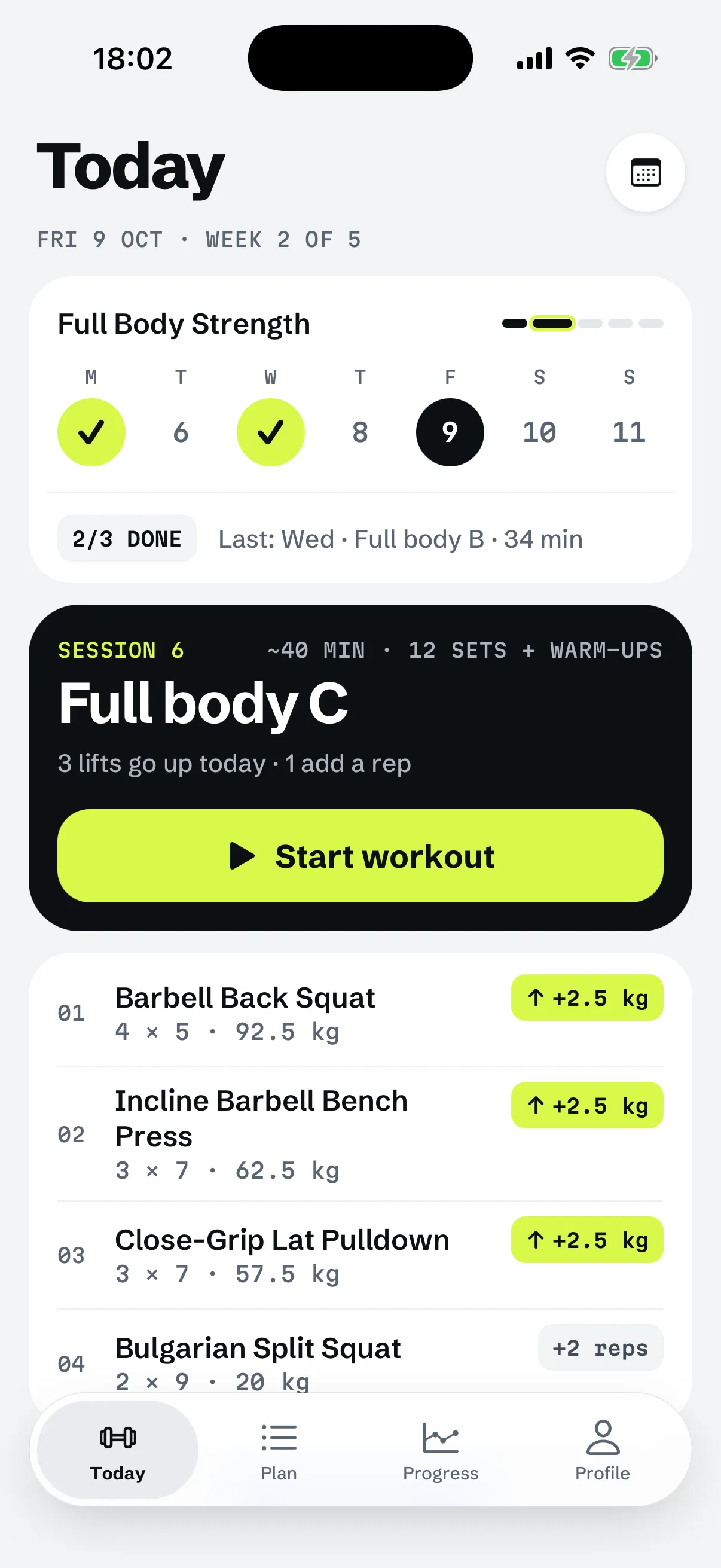
- Log it; the rules set next time and show why.
RIGOR is a strength training app for iPhone that builds your plan and sets every weight by rules you can read.
YOUR IPHONE

Where the other apps are better
Choose by the fact that matters to you.
- Android. Hevy, MacroFactor Workouts, Fitbod and Boostcamp run on it. RIGOR does not.
- A free log. Hevy is a free workout tracker; its Trainer is Pro. RIGOR has no free plan beyond the first workout.
- A suggestion before every set. Alpha Progression shows one from your previous workouts and what you have done that day. RIGOR sets targets once, after the workout.
- Weight and rep ranges that bend. MacroFactor can widen a rep range when weight alone cannot reach a good target.
- Variety. Fitbod builds a new session each time. RIGOR keeps the same lifts all block.
- A trial. Boostcamp lists a 7-day free trial for Pro.
Where RIGOR is better
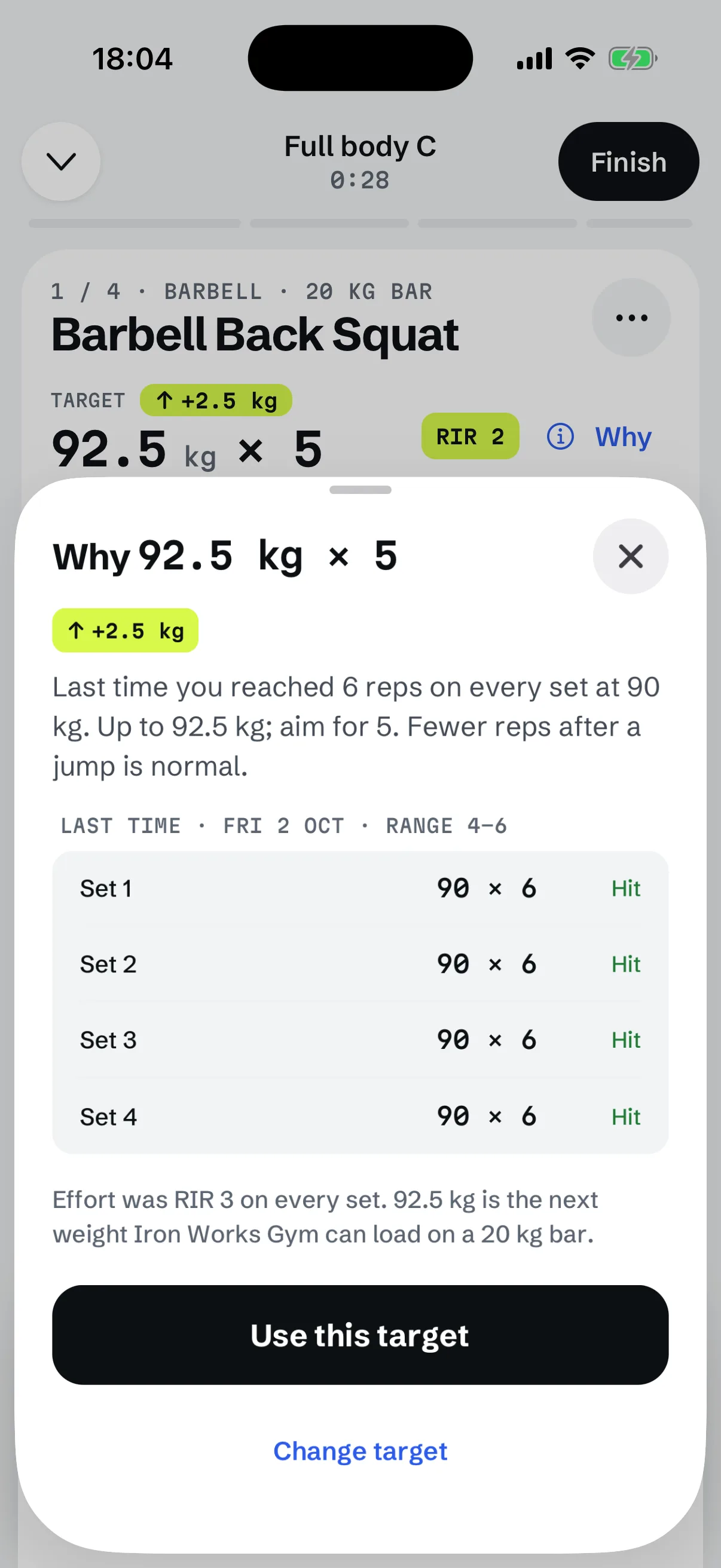
If you want every case of the rule in view, not only the increase. Tap Why on any target and RIGOR shows your last result and the rule it applied.
This is RIGOR's double progression, worked on a Back Squat of 4 sets in a 4 to 6 rep range, planned at 2 reps in reserve. Reserve is what you log after each set.
| Logged at 90 kg | Reserve logged | Next target |
|---|---|---|
| 6, 6, 6, 6 | 3 | 92.5 kg × 5: the weight rises |
| 6, 6, 6, 6, the first time at the top | 0 on one set | 90 kg × 6: the weight holds |
| 6, 6, 5, 6 | 2 | 90 kg × 6, 6, 6, 6 |
| 6, 6, 6, 3 | 2 | 90 kg × 6, 6, 6, 4 |
| 6, 6, 6, 3 here and in the session before | 2 | 10% off is 81 kg, rounded down to a weight the gym can load: 80 kg in 2.5 kg steps |
The jump from 6 to 5 reps is the one-rep max estimate at work: 6 reps with 3 in reserve at 90 kg predicts 5 at 92.5 kg with 2 in reserve, and 4 if 3 are planned. With every set at the top, a weight holds when a set was logged with more than one rep fewer in reserve than planned. A lift with no history stays blank until you enter a weight, and the same rules run through a 3 day full body program. For the question as people put it elsewhere, see an app that tells you when to increase weight.
See the reason behind every target
Hevy, Alpha Progression, MacroFactor Workouts, Fitbod and Boostcamp are trademarks of their owners. RIGOR is not affiliated with them.
Questions
Which workout app increases weight automatically?
Hevy Trainer (Pro), Alpha Progression, MacroFactor Workouts, Fitbod, Boostcamp (Pro) and RIGOR all set a next weight from your log. They differ in how much of the rule they show.
Does any app print its progression rule?
Yes. Hevy's Trainer page states that you must hit the upper end of the rep range on all prescribed sets for it to raise a weight. RIGOR prints every case, with the reason for each target.
Can a workout app adjust weights for a lift I have never logged?
Not always. MacroFactor makes no weight recommendation until you log training. RIGOR leaves a new lift blank unless you enter a weight you have used.
Why does the weight go up but the reps drop?
Because the same effort buys fewer reps at a heavier weight. In RIGOR, 6 reps at 90 kg with 3 in reserve predicts 5 reps at 92.5 kg with 2 in reserve.